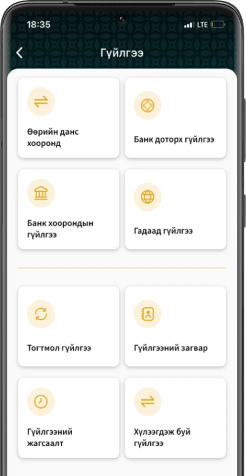
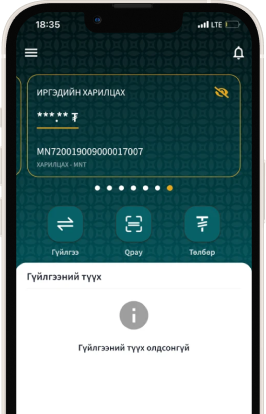
In order to safeguard the personal data of its customers, TransBank adheres to the laws and regulations of Mongolia and implements internationally recognized standards and requirements into its daily operations. The Bank also continuously enhances its services by adopting modern technological solutions and methodologies in a timely manner. However, ensuring information security also requires the active involvement of the customer.
We are pleased to share the following recommendations to help you protect your personal information.
Internet Banking Security Guidelines:
- If you are required to share personal information, ensure that you fully understand the purpose for which the data will be used, how it will be processed, and what measures are in place to safeguard it;
- Avoid saving your username and password in your web browser;
- When using email or social media platforms, activate and regularly use two-factor authentication (2FA) in addition to securing your accounts with strong passwords;
- If you log into your internet banking account from a device that is not your own, always log out completely after use and avoid saving or registering the device;
- Do not access your internet banking account using public or untrusted computers or Wi-Fi networks (e.g., internet cafes or public service centers). If access is unavoidable, make sure to log out using the “Logout” button when finished;
- Before confirming any transaction, double-check that the recipient’s name, account number, and all relevant details are entered correctly;
- Regularly review and monitor the devices that have access to your internet banking account;
- Routinely verify your transaction history, including both incoming and outgoing transfers, via your internet banking statement.
Password Security:
- When creating a password, it is important to use a strong and unique password that is difficult to guess. Avoid reusing the same password across multiple accounts, such as email, social media, and online shopping platforms, as this poses a significant security risk;
- Make sure your password includes uppercase and lowercase letters, numbers, and special characters. Avoid using easily guessable information such as your name, date of birth, or phone number. Additionally, it is important to change your password regularly as part of good security practice;
- Do not write down or store your password in an unsecured place, and never share or disclose your password to anyone;
- Avoid entering your password on suspicious websites or links that may appear in emails, messages, or while browsing online;
- Never share one-time verification codes (OTPs) received via SMS or email with anyone.
Device Security:
- Register only trusted devices that you regularly use to access Internet Banking. Frequently review the list of logged-in devices and remove any devices that are no longer in use or appear unfamiliar to prevent unauthorized access!
- Ensure that the operating system, software, and mobile banking application on your smart device are always updated to the latest versions and receive regular security patches!
- Install and regularly use antivirus and security software to protect your smart devices from viruses, malware, and phishing attacks.
- Before making any transaction via Internet Banking, always verify that the website URL begins with “https://” and is protected by an SSL security certificate;
- Avoid altering your device’s built-in security settings. Refrain from performing Jailbreaking or Rooting on your smartphone or any other device, as it may compromise its security!
- Only use official and trusted applications, and carefully review the permissions requested during installation especially those asking for access to sensitive or personal information!
- Turn off Bluetooth when not in use. Leaving Bluetooth enabled may expose your device to potential remote access or cyberattacks.
We encourage you to follow these recommendations to improve your information security and help prevent potential risks!


We offer you a system that never fails and an internet banking service that can be connected from anywhere. If you want to download the app, please follow the link below.