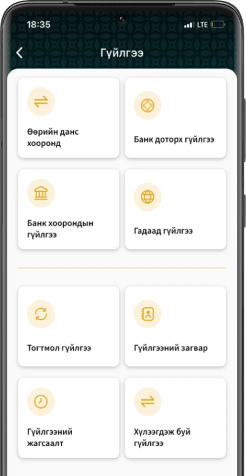
As mobile payments and digital banking usage continue to rise, ensuring the security of your smartphone and online banking access has become increasingly important. TransBank advises its clients to follow the cybersecurity recommendations below to proactively safeguard against potential risks.
When registering for digital banking:
- Upon registering for digital banking, your registered email address will receive sensitive information such as transaction confirmations, one-time passwords (OTPs), and security questions. It is essential not to share your email password with anyone.
- Do not share any verification codes sent to your registered mobile number or email address with others under any circumstances.
- Always change the default login username that is initially created during registration.
- When setting a password, avoid using easily guessable information such as your name, date of birth, mobile number, or account number.
- Never store your password in visible places such as notes on your phone or on paper.
When using digital banking services:
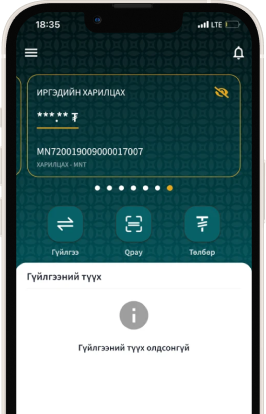
- Regularly monitor the list of registered and recently accessed devices used to log in to internet banking, and revoke access for any devices you no longer use. It is important not to verify or save login credentials on unfamiliar or untrusted devices.
- Before installing any application, carefully review the permissions it requests. Only download and use applications from official sources such as the Google Play Store, Apple App Store, or Huawei AppGallery. Mobile applications may access, store, and transmit personal data from your device; therefore, it is important to familiarize yourself with your device’s security and privacy settings as a regular practice.
- Do not leave your mobile phone or smart devices unattended. Enable automatic screen lock functionality and disable Bluetooth when not in use. Please be aware that when Bluetooth is left enabled, it may allow unauthorized individuals to remotely access or control certain functions of your mobile phone or other smart devices.
- Before initiating any transaction, carefully verify the recipient’s name, account number, and all other relevant details for accuracy. Regularly review your digital banking statements, and refrain from providing goods or services based solely on another party’s transaction receipt or confirmation.
- If you purchase and use a previously owned mobile device, perform a factory reset and delete any unnecessary applications to ensure your security.
- Using a jailbroken or rooted device for digital transactions or entering personal information significantly increases the risk of password compromise, exposure to malware, and ineligibility for official application support. Therefore, it is strongly recommended to avoid jailbreaking or rooting your mobile device.
- Prior to transferring ownership or selling a previously used smart device, users must securely remove all personal information – including data stored in applications, email accounts, and saved passwords – and perform a complete factory reset or device reformat to guarantee the confidentiality and integrity of their information.
If you suspect that your personal information has been compromised or notice any suspicious transactions on your account, it is strongly recommended that you promptly contact your bank branch or call the customer service hotline to temporarily suspend your banking access. Additionally, immediately change your digital banking password and update your personal information to protect your account.


We offer you a system that never fails and an internet banking service that can be connected from anywhere. If you want to download the app, please follow the link below.